

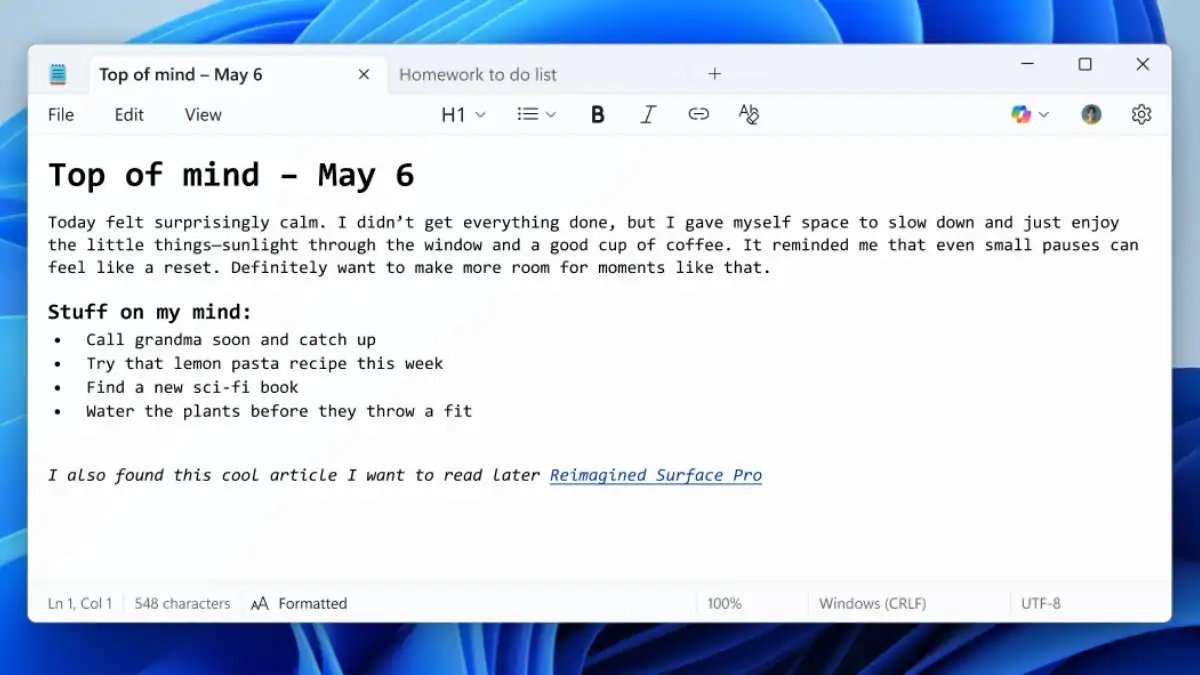
This Update The special thing about Notepad is that it is not limited to just visual formatting, Notepad can now understand and process Markdown files. This means that users working with Markdown syntax will no longer need to open a separate app. You can easily switch between Markdown formatted view and raw syntax mode and even clear all formatting if needed.
Microsoft has named this update “Lightweight Formatting”, so that users who work with the simplicity of Notepad will not find it heavy. The company has also given the option that if a user does not want to use such formatting tools, then they can be completely disabled from the app settings.
Even before this, Notepad was used many Updates Have met. Now Spellcheck and Autocorrect feature has been activated in it, so that users can immediately correct mistakes while typing. Additionally, AI-powered Copilot tools like Rewrite, Summarize, and Make Shorter/Longer have also started appearing in some versions, though these are only activated with a Microsoft 365 or Copilot Pro subscription.
Just a few months ago, Notepad received important updates like multi-tab support and auto-save. Now with the addition of Markdown and formatting tools, Notepad is becoming a complete productivity tool, not just a text editor. This update is currently released in the Dev and Canary channels of Windows 11 and is expected to come to the stable version soon.
Latest Tech News, smartphone review and popular Mobile Gadgets 360 for exclusive offers on Android Download the app and follow us Google News Follow on.